Media
Publishing a screenshot of an unfinished screen, or a staged mockup presented as a product screenshot, would misrepresent the project's real state. This project's documentation sta
Tiếng Việt: docs/vi/media.md
Product media is now available. The repository contains a real Cap screen recording captured from the running OSBlog build, exported as both MP4 and GIF under public/media/.
Why
Publishing a screenshot of an unfinished screen, or a staged mockup presented as a product screenshot, would misrepresent the project's real state. This project's documentation standard is to describe real, verifiable status rather than illustrate an aspirational one. The capture below was made from the running production build through Cap, after the compiled-browser workflow passed.
The Playwright browser suite (tests/browser/) is verification evidence, not the curated demo. Its current gate covers real publishing, public SSR, anonymous comment submission, moderation, keyboard behavior, responsive docs, and Axe checks.
Product walkthrough
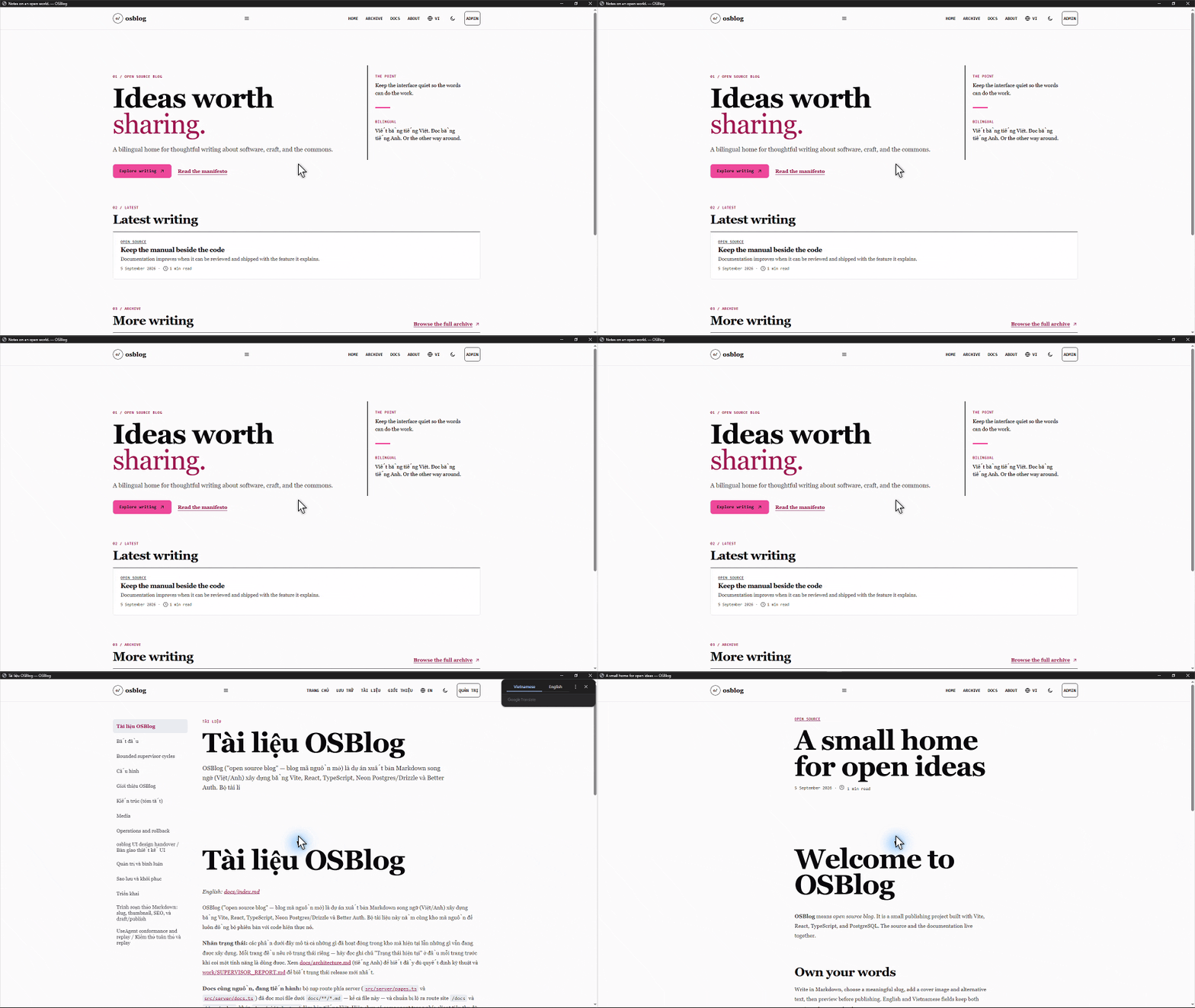
- Watch the MP4 walkthrough
- Source files:
public/media/osblog-cap-demo.gifandpublic/media/osblog-cap-demo.mp4
The capture demonstrates the public home page, the co-located documentation page, and a published article in isolated Chromium application windows. It intentionally contains no admin credentials or private data. The MP4 is the higher-quality version; the GIF is the lightweight preview for README and issue pages.
Capture provenance
- Capture tool: Cap, exported with the repository's Cap CLI.
- Source: the running OSBlog application with seeded public content.
- Format: MP4 for full-quality playback and GIF at 960×540/8 fps for a compact preview.
- Verification: Cap project validation passed; the same build passed the local production smoke checks and compiled-browser suite.
- Re-capture: run
cap record start, exercise the public routes, stop the recording, then export both formats intopublic/media/. Keep private credentials out of the frame.
Rule for contributors
Do not add an  image, GIF, or video reference to any Markdown file in this repository unless the referenced file is actually committed at that path. If you want to propose adding media, open a pull request that adds both the file and the reference together — see CONTRIBUTING.md.
Back to Documentation index.